
Download Vi.sualize.us Extension – Image Bookmarking, Firefox Add-on, Save Images, Web Image Collection, Visual Bookmarks
Overview
The Vi.sualize.us Extension is a Firefox add-on designed to simplify the process of saving images from the web to a personal online account. Its primary purpose is to streamline image bookmarking by allowing users to save visuals with a single click, without interrupting their browsing session. This tool is particularly useful for individuals who frequently collect images for inspiration, research, design reference, or personal archives. By integrating directly into the Firefox browser, the extension eliminates the need to manually download or copy image URLs, reducing friction in the collection workflow.
Target users include digital creatives, researchers, educators, and casual internet users who rely on visual content. The extension enables efficient organization of visual assets by centralizing them in a dedicated online account. Although the developer did not provide additional technical details about the app’s backend or data handling, the core functionality focuses on accessibility and convenience. The extension has been available since 2011, indicating long-term stability and consistent use within niche communities. In the broader browser ecosystem, it serves as a lightweight utility that enhances productivity by reducing time spent managing visual content.
Key Features & Functionality
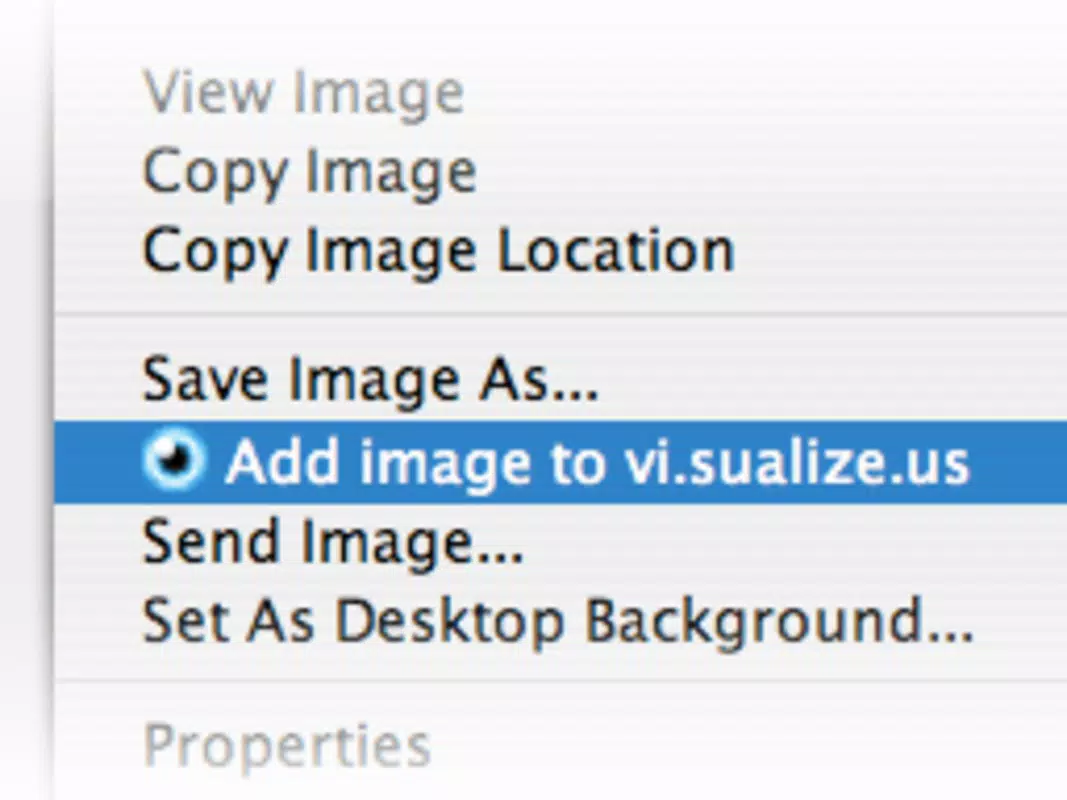
- Easy Image Bookmarking: With a single click on the extension’s button, users can save any visible image on a webpage directly to their vi.sualize.us account. This eliminates the need to right-click, copy, or manually upload images.
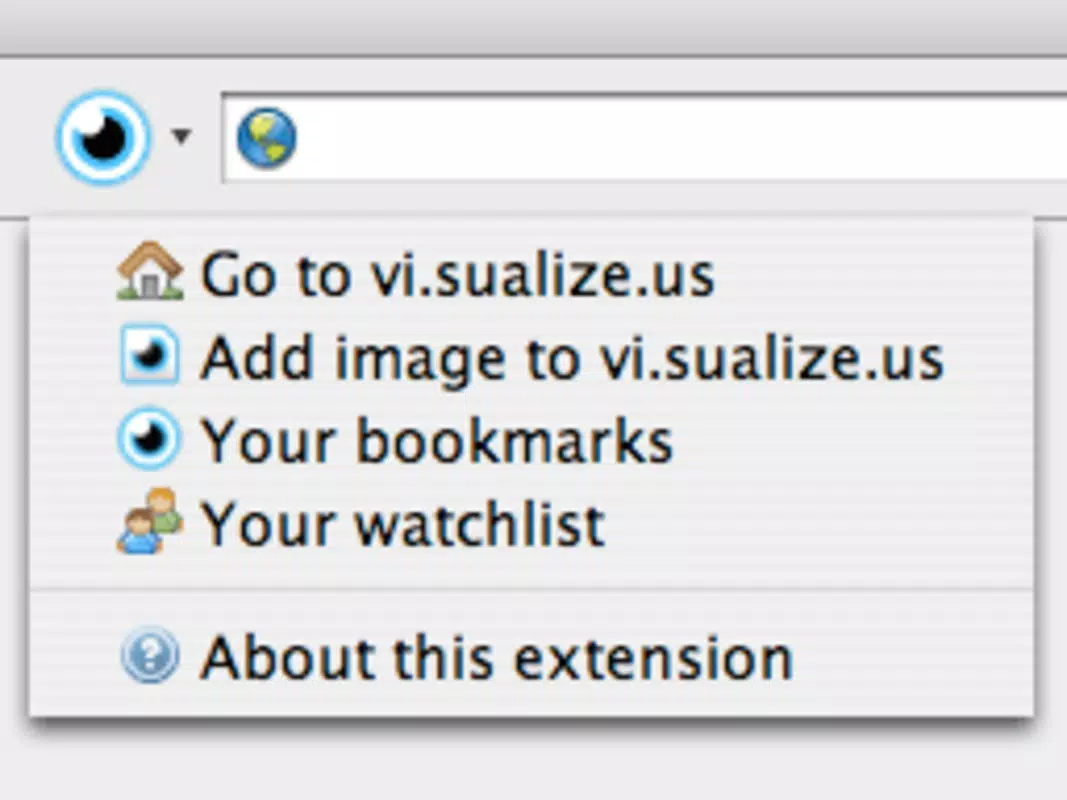
- Quick Access Button: Upon installation, a small icon appears next to the Firefox address bar, providing instant access to the extension’s core functions. This placement ensures the tool is always within reach during browsing.
- Manage Bookmarks Easily: The extension allows users to navigate and organize their saved images through the vi.sualize.us web interface. This enables sorting, tagging, and retrieval of visual bookmarks without relying on local storage.
- User-Friendly Interface: Designed with simplicity in mind, the extension features a minimalistic layout that requires no learning curve. Even users unfamiliar with browser tools can use it effectively.
- Always Have Your Images Handy: By storing images online, the extension ensures that saved visuals remain accessible across devices, provided the user maintains their account login.
For example, a graphic designer browsing for color palettes can save relevant images instantly, later accessing them from any device. Similarly, a student researching historical photographs can bookmark them directly from academic websites without cluttering local folders.
Interface, UX & Performance
The Vi.sualize.us Extension features a clean, minimal interface that blends seamlessly with Firefox’s design language. The button is unobtrusive, positioned next to the address bar, and only becomes active when an image is present on the current page. Navigation within the extension is intuitive, relying on a single action—clicking the button—to initiate the save process.
Although the developer did not list formal performance metrics, the extension’s lightweight size of 1.8 MB suggests low resource consumption. It is designed to operate efficiently without slowing down browsing sessions. The extension maintains responsiveness across various device categories, including standard desktops and laptops.
Stability appears consistent, given its long-standing presence since 2011. No reported issues with crashes or browser conflicts were mentioned in the available data. However, compatibility with newer Firefox versions may depend on ongoing updates, which are not specified.
Platform Compatibility & Technical Requirements
The Vi.sualize.us Extension is available exclusively for the Firefox browser. It supports the latest versions of Firefox as of its release, though specific minimum OS requirements were not listed. The file size is 1.8 MB, which is relatively small for a browser add-on, indicating minimal storage impact.
The extension is free to install and does not require a paid subscription. Users should ensure their Firefox browser is up to date to maintain optimal functionality. The developer did not provide detailed information about system requirements or supported platforms beyond Firefox.
Pros and Cons
Pros
- Simple, one-click image saving directly from the browser.
- Efficient for users who collect and manage visual content regularly.
- Minimal interface that does not clutter the browser window.
- Lightweight file size reduces impact on system resources.
- Enables cross-device access to saved images via the online account.
Cons
- Exclusive to Firefox; not available for other browsers like Chrome or Safari.
- No visible indication of saved image status within the browser interface.
- Developer did not provide information on update frequency or long-term support.
- Limited to image saving; no advanced tagging or metadata features described.
- Compatibility with future Firefox versions is not confirmed.
FAQ
Is the Vi.sualize.us Extension safe to install?
The extension is available through official Firefox add-on channels. As with any browser extension, users should ensure they are downloading from trusted sources. The developer, Vi.sualize.us, has maintained the tool since 2011, suggesting ongoing support.
Can I use this extension on mobile browsers?
The extension is designed for the Firefox desktop browser. There is no indication it is available for mobile versions of Firefox or other platforms.
Does the extension require an account to function?
Yes, users must have a vi.sualize.us account to save images. The extension connects to the user’s account to store and retrieve saved visuals.
How often is the extension updated?
The developer did not provide information about update frequency. Users are advised to check the Firefox add-on page for the latest version and release notes.
Is the extension free to use?
Yes, the Vi.sualize.us Extension is completely free to download and install. There are no in-app purchases or subscription fees.
Final Thoughts
The Vi.sualize.us Extension remains a reliable tool for anyone seeking a straightforward way to save and manage web images within Firefox. Its core functionality—quick image bookmarking with minimal friction—delivers tangible value to users who rely on visual content. While it lacks advanced features and is limited to a single browser, its simplicity and focus on usability make it a solid choice for productivity-focused individuals. For those already using Firefox and maintaining a vi.sualize.us account, this extension enhances workflow efficiency without complexity. Its long-standing presence in the browser ecosystem speaks to its stability and usefulness.
Download Vi.sualize.us Extension now


